How Can Backend Automation Help Your Team Work Faster?
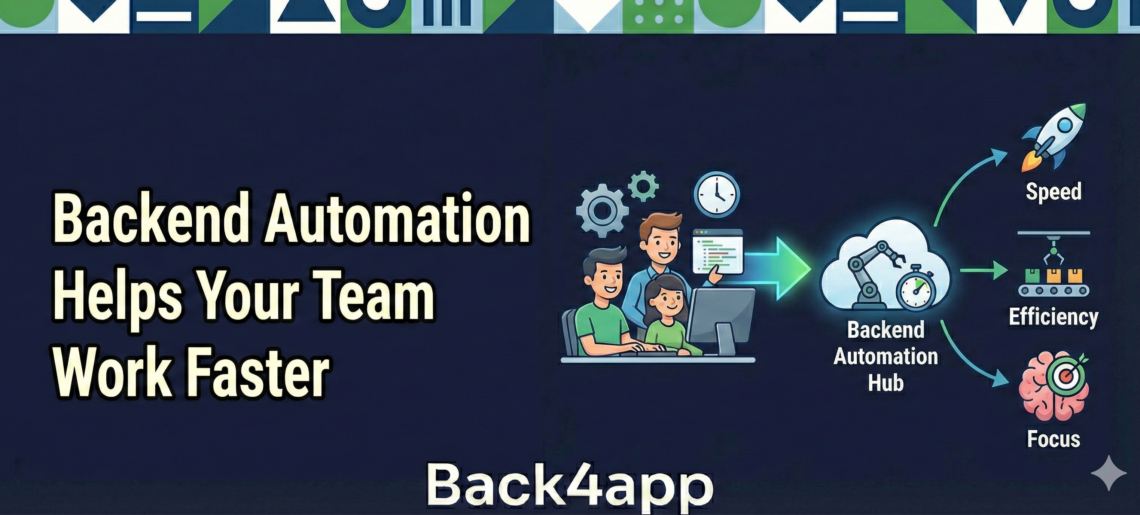
Most teams get busy fast. Between building features, fixing bugs, and answering user questions, it’s easy to lose track of how much time goes into small, behind-the-scenes tasks.
Things like logging users in, tracking updates, or moving data around may not seem like a lot at first. But over time, those jobs add up.
That’s where a backend automation service can help. It handles the parts of the work that repeat every day, so we don’t have to.
When things run quietly in the background, the whole team can move faster, with fewer slips and slowdowns. Let’s talk about what backend automation really means, how it supports stronger team workflows, and when it’s a smart idea to set it up.
As a project develops, these routine tasks only increase. Every new user or feature usually brings more checks and small processes to manage.
If teams do not find ways to handle these extra tasks, focus gets pulled away from the things that truly matter, like delivering new updates and solving bigger challenges.
Handling these repetitive assignments day after day can also lead to slow progress. Automating early means teams spend time on creative and strategic work instead of just keeping up with the basics.
Contents
- 1 What Backend Automation Actually Means?
- 2 How Automation Helps Teams Save Time?
- 3 Signs Your Project Is Ready for Backend Automation
- 4 Choosing Tools That Make the Work Easier
- 5 Making Automation Practical with Back4app
- 6 A Better Workflow Starts in the Background
- 7 Conclusion
- 8 FAQ
- 9 What is the difference between manual tasks and backend automation?
- 10 How does automation prevent developer burnout?
- 11 Is backend automation only for large apps?
What Backend Automation Actually Means?
Backend automation sounds like something complicated, but it’s pretty simple once we break it down. It just means setting up tools that handle regular tasks automatically without someone clicking a button every time.
- One example is when a user signs in and their info updates across devices without extra effort
- Another is scheduling updates to run at certain times so we don’t forget
- It can even cover little things like sending alerts or keeping data in sync
These tools work in the background, which helps things stay smooth. They don’t need someone checking in all the time to make sure they’re running.
Once they’re set up, they follow instructions on their own and don’t take up extra focus or time.
A big advantage of this system is reliability: repetitive jobs are completed the same way each time, leaving no room for skipped steps or forgetfulness.
Automation also keeps things moving outside of work hours, which means updates and processes happen at the right moment without requiring someone to be online monitoring everything.
Back4App’s automation tools include scheduled jobs, cloud functions, and live queries, enabling teams to handle background processes like notifications, data sync, and user management automatically.
How Automation Helps Teams Save Time?
When the same steps happen again and again, we tend to try and speed them up. But even fast clicks still take time, especially when we’re in a rush or juggling a dozen other things. Automation removes the pressure of repeating those tasks so we can turn our attention elsewhere.
- It cuts down things like editing code or resetting settings every time something changes
- Automated systems can trigger updates themselves, without anyone watching over them
- We don’t need more staff to manage simple jobs over and over again
Teams using Back4App benefit from built-in scheduling and scalable cloud functions. This means updates or data migrations can happen automatically, reducing manual intervention and saving valuable developer time.
This kind of support matters most when the team is small and stretched thin. Every person’s time counts. If fewer tasks are on our plates, we stick to work that moves the project forward instead of just keeping it running.
These time savings are not only about working faster, but also about reducing errors that often come with manual work.
When actions are triggered the same way every time, risks go down, and there’s more consistency across the project.
This also leaves more mental energy for planning, creative problem-solving, and innovation. Automation routines can free developers to take on challenges that have a bigger impact, rather than being caught in a tangle of maintenance work.
Signs Your Project Is Ready for Backend Automation
Sometimes, we know it’s time to make changes just by how the work feels. If our team is always catching up or stuck fixing the same problems, it might be time to look for stronger tools.
- More users or growing features usually lead to more tasks behind the scenes
- If we find ourselves doing the same jobs over and over, something needs to shift
- Bugs or late updates might mean we’re stretched too thin or trying to patch things instead of planning ahead
When pressure builds, quality can slip. Automation doesn’t fix everything, but it clears space in our day. Once we start handing off the repeat work to tools that can manage themselves, it becomes easier to focus on big-picture tasks like improving our app or testing new ideas.
If your team is experiencing missed deadlines or errors in releases, it may be a sign the workload has outgrown what manual processes can handle.
Rising support tickets could also show that small details are slipping through. Whenever growth outpaces the old ways of working, automation stands out as a solution that puts control back into the hands of the team and lowers burnout risk.
Choosing Tools That Make the Work Easier
The right automation tools don’t just do the job. They make it easier to plan, track, and understand what’s going on without adding more tech stress. When we’re picking something to support the backend, we look for tools that make our lives simpler, not more confusing.
- We want clear dashboards that show what’s happening without needing guesswork
- Prebuilt templates help skip setup steps and offer a quicker path to working systems
- Good tools lower the risk of user updates going wrong or important tasks being forgotten
It’s not just about speed. A strong backend automation service gives us confidence that things are running like they should be, even when we’re focused on something else. That peace of mind is often what helps teams work better and avoid burnout during crunch times.
The ideal platform makes routine operations simple, obvious, and easy to review. When we can check on how systems are working, we solve issues faster and keep everything in sync.
Good user interfaces and helpful templates cut the learning curve for teams of all sizes, so work never stalls waiting for someone to figure things out.
Reducing complexity behind the scenes means even new team members adjust faster and make fewer mistakes.
Back4App’s dashboard and APIs improve visibility and control across all automation systems, making it straightforward for developers to monitor and adjust workflows without downtime.
Making Automation Practical with Back4app
Setting up automation shouldn’t feel like adding another heavy project to your team’s plate. The goal is to reduce complexity, not create more of it.
Back4app bridges this gap by providing a Low-Code environment where these background processes are built-in, rather than bolted on.
Instead of spending days writing custom scripts to handle every possible scenario, you can implement automation routines that feel natural and manageable:
- Cloud Functions: Move heavy logic off the user’s device and into the cloud. Whether it’s processing a payment or resizing an image, these functions trigger automatically based on user actions, ensuring consistent results every time.
- Scheduled Jobs: Take the “forgetting” factor out of the equation. You can set up recurring tasks—like clearing out temporary files, generating weekly reports, or sending bulk emails—to run at specific intervals without any manual intervention.
- Live Queries: For apps that need to stay updated in real-time, this feature pushes data changes to your users the second they happen. It eliminates the need for manual refreshes and keeps the experience feeling “alive” and reactive.
By integrating these tools directly into your workflow, you’re not just saving a few minutes here and there; you’re building a foundation that scales with your growth.
Back4app handles the server management and infrastructure upkeep, so your automation runs reliably in the background while you stay focused on the features that define your app.
A Better Workflow Starts in the Background
When things work behind the curtain, quietly, smoothly, and on time, it shows in how the product feels. Users get a better experience, developers get to focus, and the entire flow of work speeds up.
Backend automation helps us clear distractions and stay on pace. Instead of scrambling to catch up or fix the little things, we build smarter from the start. That steady rhythm is what makes it easier for teams to do their best work and keep moving forward without getting stuck.
A smooth workflow helps the team communicate, collaborate, and plan next steps with clarity. With reliable automation in the background, there’s no delay waiting for daily tasks to be checked off.
Progress feels steady, and surprises or setbacks become less common. Work feels less frantic, and the team’s confidence increases as momentum builds with each day.
Conclusion
When your team is juggling too many moving parts and small tasks, smarter tools can handle the background work for you.
A well-set-up backend automation service keeps everything running smoothly, reduces manual fixes, and minimizes errors so your team can stay focused on what matters most.
FAQ
What is the difference between manual tasks and backend automation?
Manual tasks require a developer to trigger actions—like running data cleanup scripts—by hand. Backend automationuses pre-set triggers or schedules to handle these jobs automatically, ensuring they are never forgotten and occur without human intervention.
How does automation prevent developer burnout?
It removes repetitive, low-value maintenance work from a developer’s plate. By automating routine data syncs and server resets, developers can focus on creative problem-solving and building new features, leading to a more engaging and less frantic workflow.
Is backend automation only for large apps?
No. Even for small projects, automation acts as a force multiplier. It allows a single developer or a small team to maintain a professional, reliable system that runs 24/7 without needing constant manual oversight or a large support staff.