The Best BaaS for Your Android App
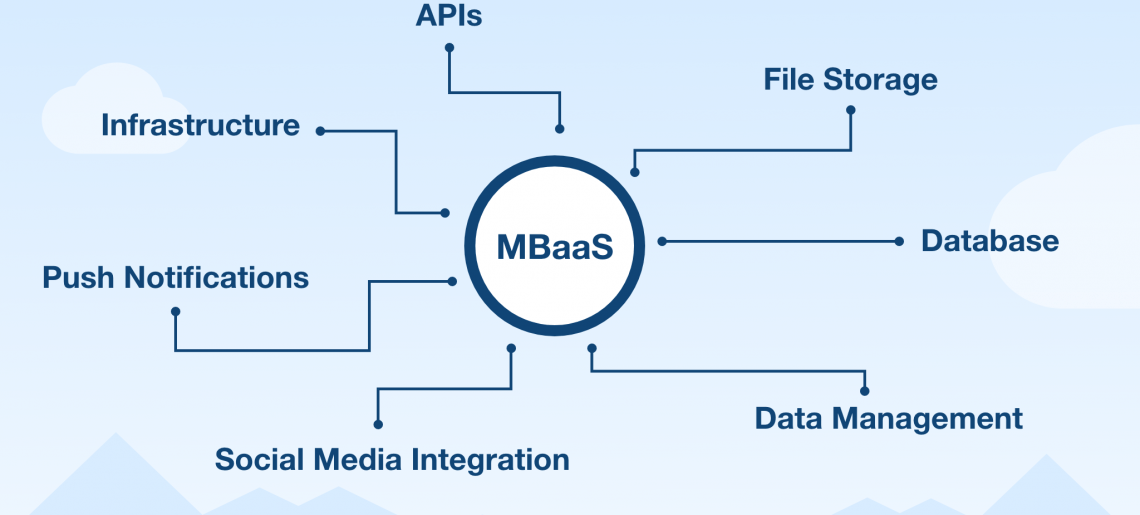
Every serious Android app needs a backend: somewhere to store data, manage user accounts, send push notifications, and run the logic that shouldn’t live on the device. Building that backend from scratch means servers, APIs, security, and scaling work before you ship a single screen. A Backend as a Service (BaaS) removes that entire layer — and for Android developers, it’s the fastest route from idea to Play Store.
This guide explains what a BaaS does for an Android app, why Back4app is a particularly strong fit for creating and hosting Android applications, and how to get a production backend running in minutes.
Contents
- 1 What an Android app needs from its backend
- 2 Why Back4app is a great fit for Android apps
- 2.1 A native Android SDK for Java and Kotlin
- 2.2 Instant database with real relations
- 2.3 Authentication and social login out of the box
- 2.4 Push notifications through FCM
- 2.5 Real-time data with Live Queries
- 2.6 Cloud Code for the logic that can’t live on the device
- 2.7 Open source at the core — no lock-in
- 2.8 Hosting, scaling, and room to grow
- 2.9 Free to start, priced for growth
- 3 How to create and host an Android app backend on Back4app
- 4 Other BaaS options for Android
- 5 Conclusion
- 6 What is a BaaS for Android?
- 7 Why is Back4app a good backend for Android apps?
- 8 Can Back4app send push notifications to Android devices?
- 9 Is Back4app free for Android development?
What an Android app needs from its backend
- Data storage and sync — user content, app state, and shared data available across devices
- User management — sign-up, login, sessions, password reset, and social login with Google or Facebook
- Push notifications — re-engagement through Firebase Cloud Messaging (FCM)
- Server-side logic — validation, scheduled jobs, and integrations that can’t run safely on the device
- File storage — user photos, media, and documents
- Scalability — a launch spike or a featured-app moment shouldn’t take your service down
A BaaS delivers all of this as a managed service your app reaches through an SDK. Instead of months of backend engineering, you configure what you need and write only your Android code.
Why Back4app is a great fit for Android apps
A native Android SDK for Java and Kotlin
Back4app is built on Parse, whose Android SDK is one of the most mature in the industry. Saving an object, querying data, or registering a user is a few lines of Java or Kotlin — no HTTP plumbing, no manual JSON parsing. Local datastore support keeps your app functional offline and syncs when connectivity returns, which matters enormously for mobile users.
Instant database with real relations
Create a class in the visual dashboard and Back4app instantly exposes it through the SDK plus REST and GraphQL APIs. The data model supports true relational structures — pointers and relations between classes — so an Android app with users, posts, comments, and likes maps naturally, and complex queries stay simple.
User registration, secure sessions, email verification, and password recovery are built in. Sign-in with Google, Facebook, and Apple plugs into your Android app without hand-rolling OAuth flows — one of the most error-prone parts of mobile development handled for you.
Push notifications through FCM
Back4app integrates directly with Firebase Cloud Messaging, Android’s native push channel. Send campaigns from the dashboard, target audience segments, or trigger notifications programmatically from server logic — the delivery infrastructure is already wired up.
Real-time data with Live Queries
Chat screens, live feeds, and collaborative features need data that updates the moment it changes. Back4app’s Live Queries push database changes to subscribed Android clients in real time over WebSockets — no polling, no third-party real-time service to integrate.
Cloud Code for the logic that can’t live on the device
Payment validation, content moderation, scheduled cleanups, and third-party API calls belong on the server, where users can’t tamper with them. Back4app’s Cloud Code runs your JavaScript functions serverlessly — triggered by the SDK, by database events, or on a schedule — without you managing any server.
Open source at the core — no lock-in
Because Back4app runs open-source Parse Server, your Android app talks to an open platform, not a proprietary black box. If your needs ever change, you can export your data and self-host — a freedom closed platforms can’t offer, and a real consideration for apps you expect to run for years.
Hosting, scaling, and room to grow
Your backend is hosted, monitored, backed up, and auto-scaled by Back4app — a launch spike is the platform’s problem, not yours. And when your app grows beyond standard backend features, Back4app also deploys Docker containers, so custom services like an ML model or a game server can live next to your app backend on the same platform.
Free to start, priced for growth
The free tier covers development and small production apps, so an Android project can launch with zero infrastructure cost and pay only as real usage arrives.
How to create and host an Android app backend on Back4app
- Create a free account and app at back4app.com — the backend exists immediately.
- Model your data in the dashboard: classes, columns, and relations.
- Connect the Android SDK — add the Parse dependency in Gradle and initialize it with your app keys.
- Build your features — queries, authentication, file uploads, and Live Queries straight from Java or Kotlin.
- Add push and server logic — wire FCM for notifications and Cloud Code for server-side rules, then ship to the Play Store.
The Android quickstart walks through each step with copy-paste code.
Other BaaS options for Android
The Android BaaS space has excellent platforms beyond Back4app. Google’s Firebase offers deep integration with the Google ecosystem and strong analytics. AWS Amplify connects Android apps to the breadth of Amazon’s cloud. Appwrite brings an open-source approach with a growing community. Each is a capable choice — the right fit depends on your data model, ecosystem preferences, and how much you value open-source portability, which is where Back4app stands out.
Conclusion
For Android developers, a BaaS turns months of backend work into an afternoon of setup. Back4app fits the platform especially well: a mature native SDK for Java and Kotlin, relational data with instant APIs, built-in auth and FCM push, real-time Live Queries, serverless Cloud Code, and an open-source core that keeps your app portable — hosted and scaled for you from the free tier up. Create your free Back4app account and have your Android backend running today.
What is a BaaS for Android?
A Backend as a Service (BaaS) for Android provides the complete server side of your app — database, user authentication, APIs, file storage, and push notifications — as a managed cloud service. Your Android app connects through an SDK, and you skip building and hosting your own backend.
Why is Back4app a good backend for Android apps?
Back4app gives Android developers a ready-made backend with a native Android SDK for Java and Kotlin, built-in user authentication with social login, push notifications through Firebase Cloud Messaging, real-time Live Queries, and Cloud Code for server-side logic. It is built on open-source Parse, so your app is never locked in, and the free tier lets you launch without upfront cost.
Can Back4app send push notifications to Android devices?
Yes. Back4app integrates with Firebase Cloud Messaging (FCM), the standard delivery channel for Android push notifications. You can target individual users, segments, or all devices from the dashboard or programmatically through the API.
Is Back4app free for Android development?
Yes. Back4app offers a free tier that covers development, testing, and small production apps. Paid plans scale with your usage as your Android app grows, so costs stay aligned with real traffic.